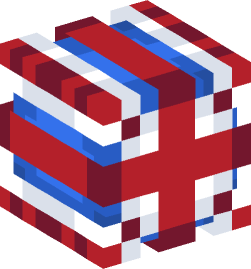
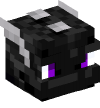
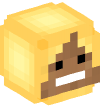
To get a mini-block with the name — United Kingdom, use one of the methods below::
To get the head United Kingdom in Minecraft, copy the /give command from this page and paste it into the game chat. You need operator rights (/op) on the server or enabled cheats in single-player mode to execute the command.
Most often the problem is incompatibility of Minecraft versions. Different versions use different command formats. Switch the version in the panel on the head page — commands will automatically update for your game version. Also check if you have permission to execute the /give command (operator status /op on the server or enabled cheats in single-player mode). If the head doesn't appear, make sure you copied the command correctly without extra spaces or quotes.
The head United Kingdom can be obtained for the following Minecraft versions: 1.8, 1.9-1.10, 1.11-1.12, 1.13, 1.14-1.15, 1.16-1.19, 1.20-1.20.4, 1.20.5-1.21.4, 1.21.5-1.21.8, 1.21.9-26.1. Switch the version in the panel on this page, and the command will automatically change for your game version.
To place the head United Kingdom in the game, first get it using the /give command from this page. Once the head appears in your inventory, simply select it in your hand and right-click on a block — the head will be placed as a decorative block. You can place it on the floor, wall, fence, or any other solid surface. Depending on the direction you're facing, the head will rotate to the corresponding side. To remove the head, simply break it with any pickaxe or by hand — it will drop as an item and retain its texture. Heads are great for decorating builds, creating themed areas, collections, or using as markers on a map.
Yes, the head United Kingdom can be used on a server. You need permission to execute the /give command — on most servers this is only available to operators (/op) or players with appropriate permissions in plugins (LuckPerms, PermissionsEx). If you don't have permissions, contact the server administrator — they can give you the head or configure permissions. The head works on Java Edition servers (vanilla, Spigot, Paper, Purpur and others), as long as the server version matches the command syntax.
The texture for the head United Kingdom is already built into the command you see on this page. You don't need to download or install textures separately — they are stored in the Minecraft database and load automatically when using the /give command. If you want to view or download the texture separately, you can find it on our website.
The head United Kingdom can be used in building as a decorative block for a wide variety of purposes. Heads are great for themed builds: creating altars, collection rooms, statues, monuments, signs, or markers. You can combine them with other blocks to make your builds more detailed — for example, use them as eyes for large statues, as a screen for a TV, as balls for billiards, or as fruit on trees.
Copying the command for the head United Kingdom is very easy. On this page, the command is located in a special code block right below the head image. To copy it, click the copy button — the command will automatically be saved to your device's clipboard.
Attention! If you have problems with commands to get heads, check out this little manual:
Minecraft heads different colors and shapes
 Orb
Orb Five Nights at Freddy's
 Monitor
 Device
 Youtube
 Storage
 Toy
Toy Computer
 Planet
 Christmas
 Present
 Mask (functional)
 Alcohol
 Kitchen
 Logo
Logo Ball
Ball Book
Book Treasure
 Halloween
 Vanilla Mob